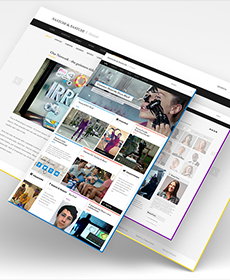
Everyone thought the app was confusing. Research showed the real problem was work the product never did. I reframed the brief and rebuilt the core of the app around what customers need to do next.
My roleProduct designer: research, service design and UI, from interviews to shipped screens.
What this shows User researchService blueprintingReframing the problemPrioritisationComplex data UXMeasurable outcomeAtlas grew from an early-stage product into a platform serving hundreds of organisations across banks, funds and portfolio companies. The gap between what the product did and what customers needed was absorbed by people: an in-house ESG consulting team who ran workshops, set up accounts, answered questions and did by hand whatever the app didn't do yet. It worked, but it didn't scale. Every new customer meant more consultant hours, and the team couldn't keep growing in step.
Our ESG consultants were consistently working overtime. Support tickets were high, the same questions kept arriving, and there was a backlog of features customers wanted on top of it. Internally the explanation was bad UX: the app was confusing, so people called us instead.
We ran user interviews and mapped the full customer journey as a service blueprint, from contract signature through preparation, onboarding, data collection, reporting, off season and into the next reporting year. Every step was marked as either in-platform or manual.
Service blueprint mapping the full customer journey, each step marked in-platform or manual
Service blueprint of the full customer journey.
The map made the assumption look wrong. Only one phase of the journey happened inside the product. Everything before it (contract handover, the welcome call, collecting account information, the consulting and customisation workshops, account setup, invites to portfolio companies) ran on spreadsheets, decks, email and calls. Reporting partly left the platform too, with final reports filled in on official templates off-platform.
So the app had real problems. They just weren't the whole bill. The pain points sitting in the manual columns were things no interface change would touch: information collected from customers by hand and re-entered into Atlas, a fully human onboarding process that didn't scale, delays between contract and access, miscommunication between sales and CS, expectations set in sales negotiations that the product then had to meet.
Prioritized pain points grid, grouped by process-related and product-related issues, high-priority items flagged
Pain points prioritized by process-related and product-related issues
That split the work in two. Fix what was genuinely broken inside the app, and start moving the work that had never been in it.
I set principles to design against. Three drove this:
The entry point already existed. It was a Reporting Summary: completion dial, disclosure counts, progress bars, task counts by state. It reported status accurately and answered the wrong question. A user could see 57% complete and a lot of progress bars and still not know what to do that morning.
So before redrawing it, I wrote down what Home was for:
Home purposeThe first screen users land on. It should give them a clear overview of their progress, upcoming tasks and critical data requests.
→ Self-service: guide customers through complex flows. Solves stop-and-go work: pick up a task where you left it, with the whole process in view.
I replaced it with a What's next list that names the tasks waiting on this user, with a due date, an urgency, and a button that opens the work. The aggregate view moved below as per-framework progress, where it answers "how are we doing" instead of "now what".
Home, replacing the Reporting Summary with a What's next list
Data collection starts at the Tasks list, and that's where it first broke down. Every row was accurate, and none of it answered the questions users actually came with: are these for my reports or my network's, which ones are mine, who asked for them and by when, and what a status like "New data" or "Awaiting data" wants me to do.
The old Tasks list with a company tag, a group header, an empty comment icon and an Open status circled, its two long status menus, and sticky notes with the questions users couldn't answer from it
The old Tasks list, annotated with the questions it left users asking
Almost every one of those questions is about people: who a task is for, who asked, who is waiting on it. A task is one piece of the data a report needs, and it passes through several hands on the way. So I mapped that path role by role: collectors enter the data, reviewers validate it, managers consolidate it and admins sign off and share the report. The grey cards marked new are the steps the product didn't support yet, like seeing what's left to do, setting due dates and sending reminders.
Role journey grid: phases (setup, task distribution, data collection, review, consolidation, reporting) and steps down the side, with what the admin, manager, collector and reviewer each do at every step and the system touchpoints, new steps marked in grey
How ESG data flows across roles, from the first task to the final report
With the roles clear, I set out what data collection had to do:
Data collection purposeGuide the user through complex flows by completing tasks in sequence.
→ Get through the work faster, and always know what’s left before the deadline
Once a task was open, entering data had been one datapoint at a time. Open a modal, fill in a field, submit, close, find the next one. A task that was really a hundred small answers became a hundred separate trips through the same interface.
I rebuilt it as a single working surface. A whole task opens once, in one place, with the questions in one continuous flow. I condensed the secondary information into the margins, stripped out what wasn't needed at the point of entry, and moved the guidance next to the question that needed it.
Nobody wants to spend their week entering ESG data, so the goal was to make it quicker to get through and easier to digest: far fewer clicks, and a clear read at any moment on how far along you are and what's left before the deadline.
Data collection, after
Data collection, before
Data collection, one continuous flow instead of a field at a time
As the app grew, the pieces stopped hanging together. Each new feature arrived as its own module, and nothing said how they related or which order to do them in. A framework could only be navigated through its own taxonomy, which is accurate to the framework and useless if you don't already know the framework.
So I set out what a framework dashboard had to do:
Framework dashboard purposeGive every framework its own tailored experience. Frameworks overlap and much of the data can be reused, but each one asks with a slight twist: a different angle, different wording.
→ One platform, but each framework feels made for the job
I gave each framework its own dashboard and laid the work out as a sequence, so the order was stated rather than something you were expected to know. Numbered steps from setting up the base through to the final report, each with task counts, time estimates and an estimated completion date.
SFDR, restructured into its own step-by-step journey
The sequence isn't shared. CSRD, SFDR and GRI ask for different things in a different order, so each gets its own path rather than one generic checklist. SFDR, for instance, needs data collected from every portfolio company, so its dashboard tracks progress per company inside the step. CSRD doesn't work that way. Same underlying pattern, shaped to what each framework actually asks for.
Support tickets dropped by roughly 35%, and consultants spent far less time in calls explaining next steps, freeing up an estimated 10 to 15 hours of meetings per consultant per week.
Support Tickets -35% Client Calls ↓ 10-15 hrs Customers 🙂 HappierAtlas reports setup screen
Part two Outside the app Moving the new reporting year from consultants to customers: a contract model, an org tree and a self-serve setup flow. Read case study Overview Atlas Metrics Back to the full project: design system, product chapters and impact. Back to Atlas
Angelo Wellens, Product Designer
Builds from first idea to launched product